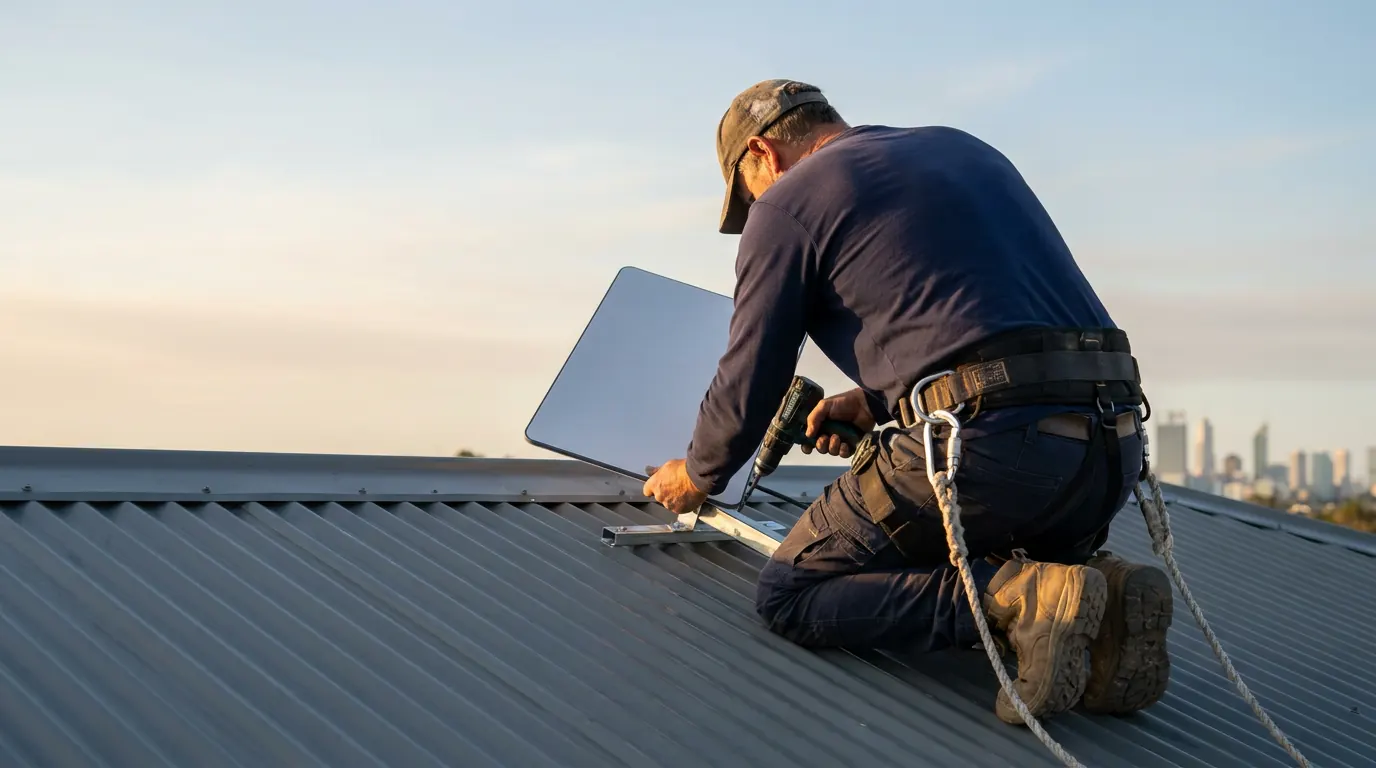
Roof mount
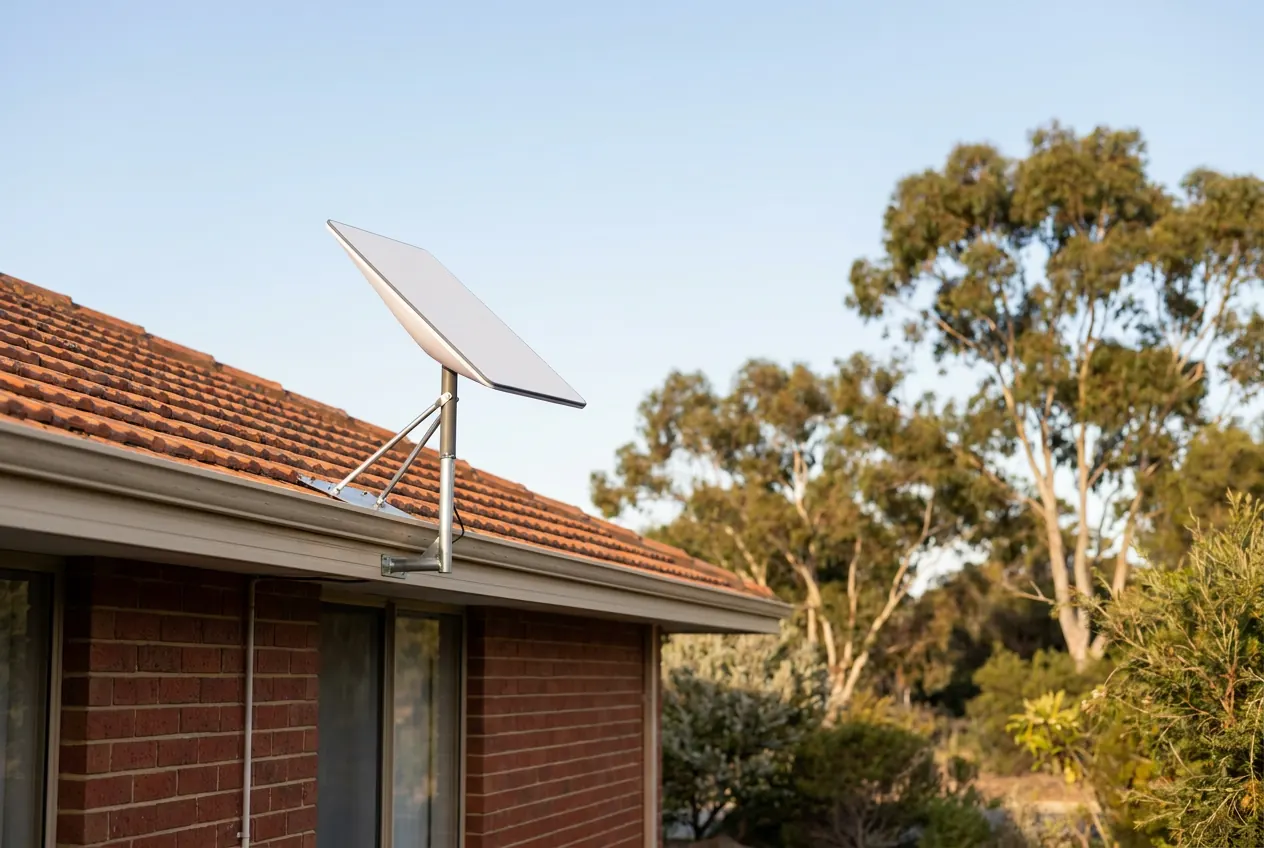
The usual pick. Up high and clear of fences, sheds and most trees.
- Good for
- Most houses, tin or tile, one storey or two.
- Watch for
- Double-storey and steep roofs take more gear and time, which can show in the price.
Independent local installer — not affiliated with Starlink or SpaceX.
Starlink installation
What I do on the day, what's included, what can change the price, and what happens once I've gone.
Install day
I open the Starlink app and check what the dish would see from each likely spot. Branches, eaves and a neighbour's second storey cause most of the trouble, so this happens before anything gets drilled.
I show you where I plan to put the dish, run the cable and place the router, and I agree the cable route with you before I drill.
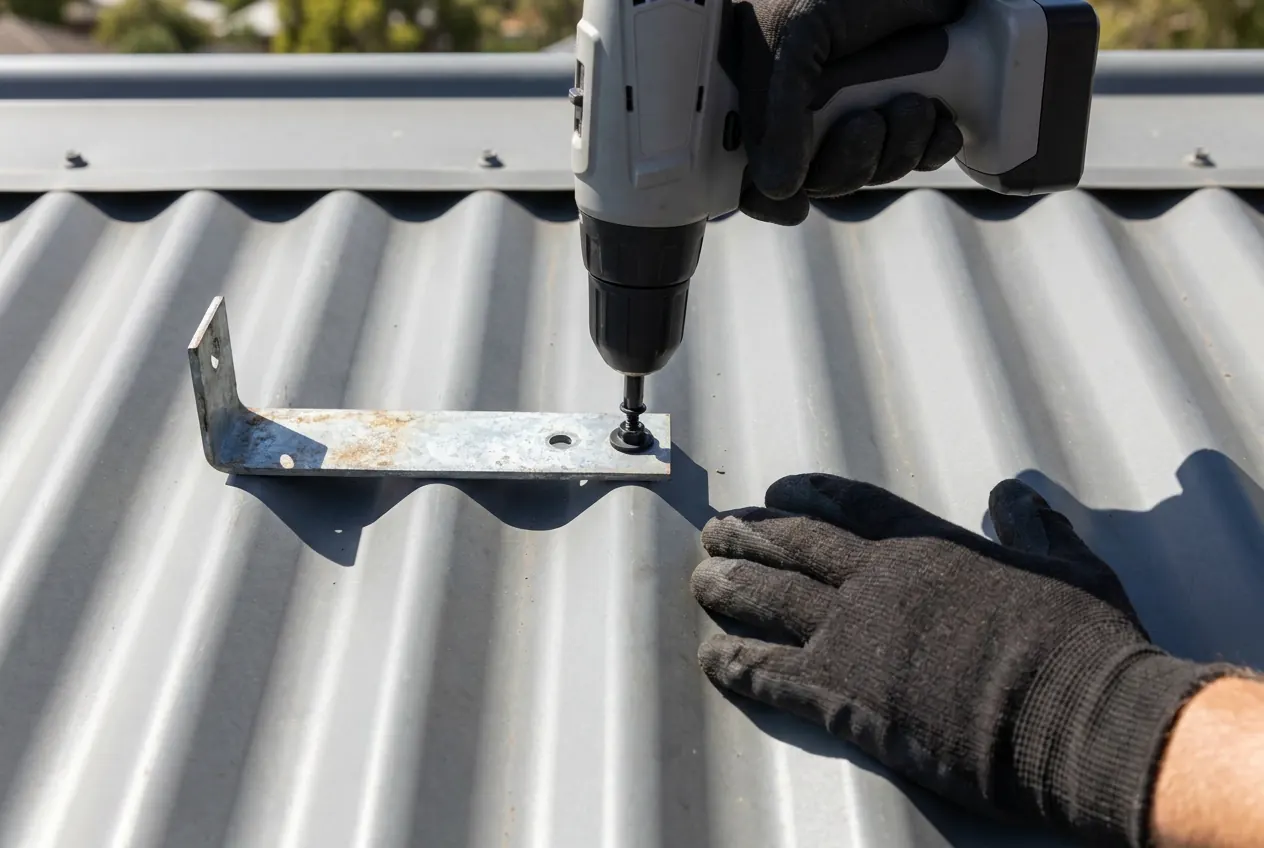
Roof, wall, pole or ground, with fixings to suit what it's going on, and bolted down so a July front doesn't shift it.
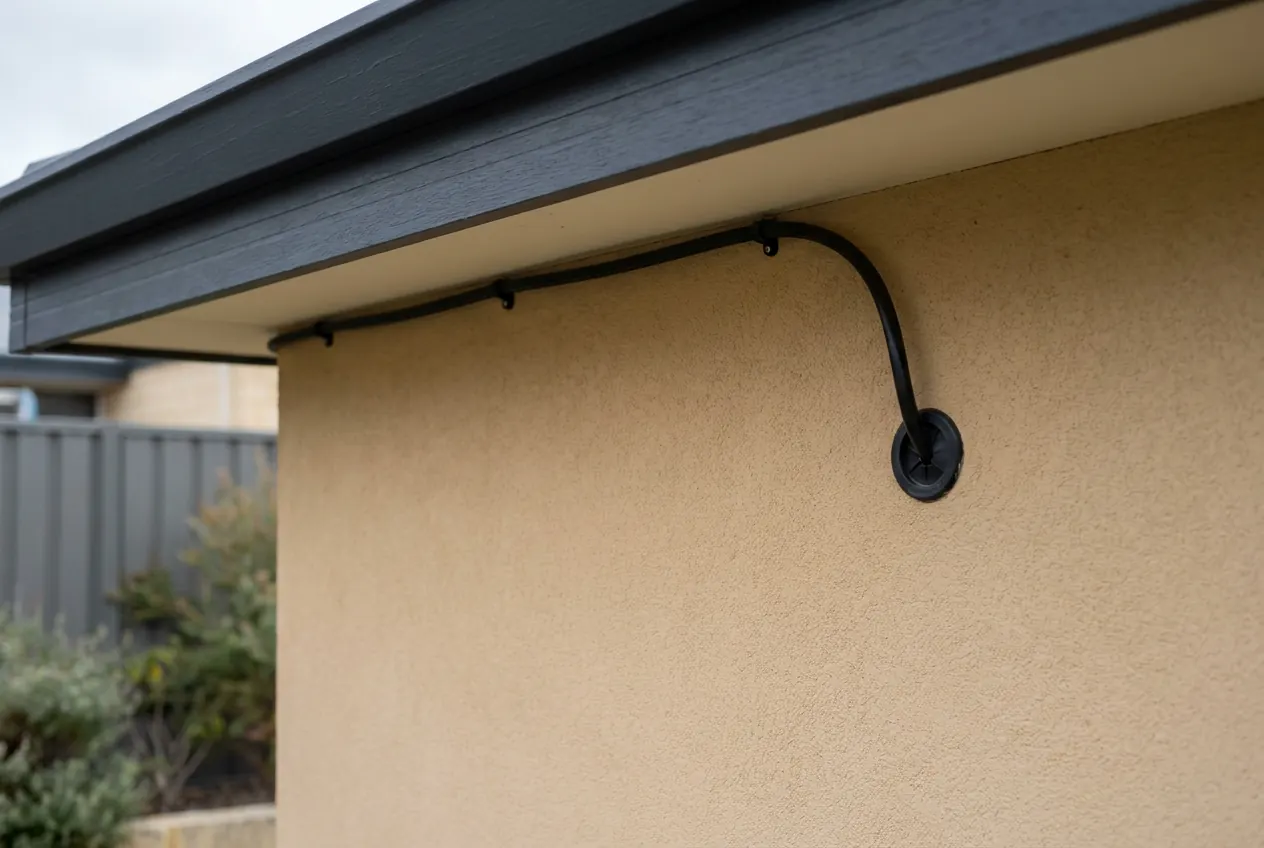
Through the wall or ceiling where the house allows it, clipped neat along a sensible line where it doesn't. The entry point gets weather-sealed.
Router somewhere central and out in the open, network named and secured, and your phones, laptops and TVs connected.
Run while I'm still on site, so you see it working with your own eyes.
How the app works, where the router lives, and what to try first if it ever goes quiet. Plain English only.
What's in the price
Everything in the seven steps above, with the mount and fixings for a standard roof job.
Pole or ground mounts, long runs, height and access, extra Wi-Fi gear, and travel beyond the metro area. How each one moves the price.
The Starlink kit and your Starlink plan. More on the kit further down.
I confirm the price before booking.
Price
That covers a standard roof job. Kit not included.
Tell me about your place and you'll have a firm price before anything's booked.
| Mount type | Pole and ground mounts take more hardware and time than a roof mount. |
|---|---|
| Cable run | Long runs, and runs hidden in walls and ceilings. |
| Height and access | Two storeys, a steep pitch or an awkward roof. |
| Extra Wi-Fi gear | Reaching the back rooms, a shed or a granny flat. |
| Travel | Rural-fringe jobs only. Check where I install around Perth. |
Mount options
I pick the mount after the sky check, not before. The right one gives the dish the clearest view with the neatest job.
You don't need to pick — that's my job.
The usual pick. Up high and clear of fences, sheds and most trees.
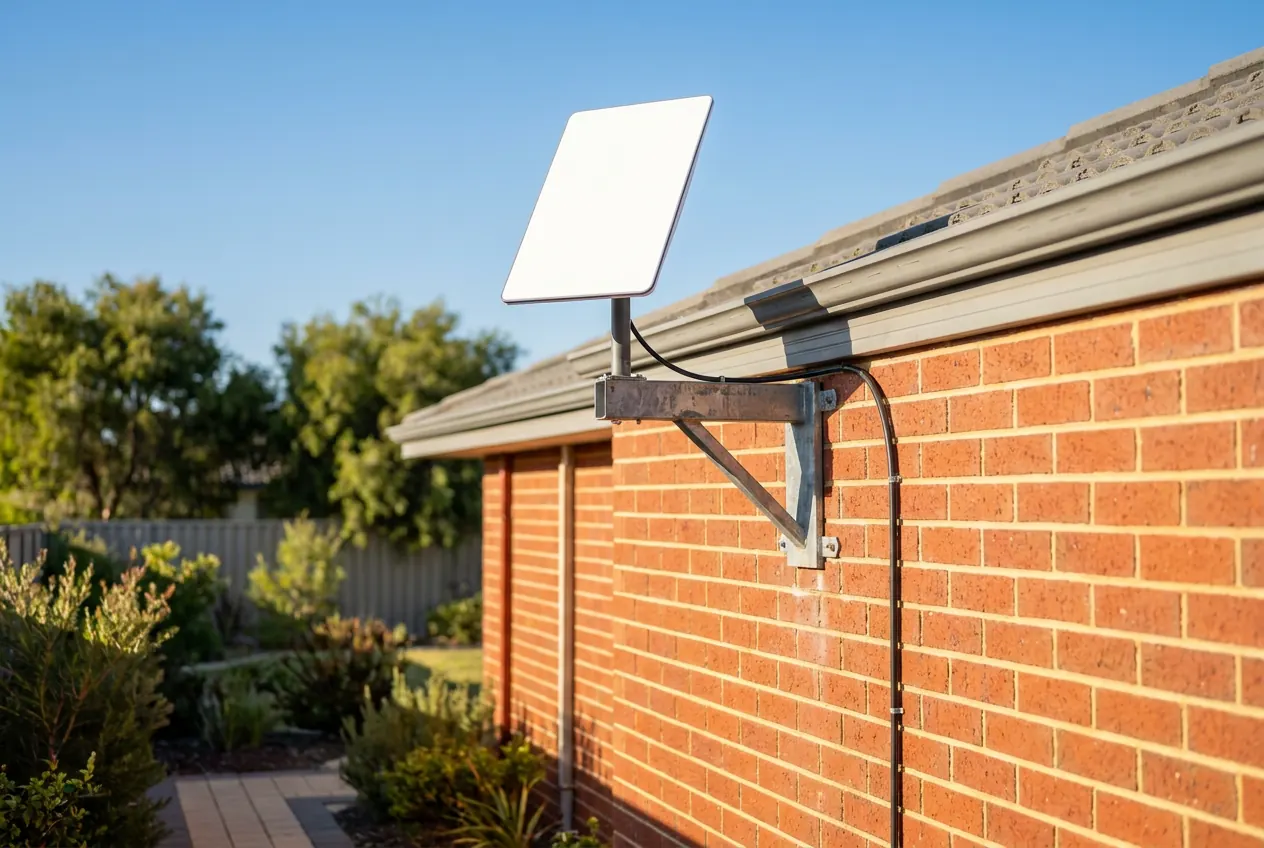
A bracket off a wall or fascia, standing the dish up past the eaves.
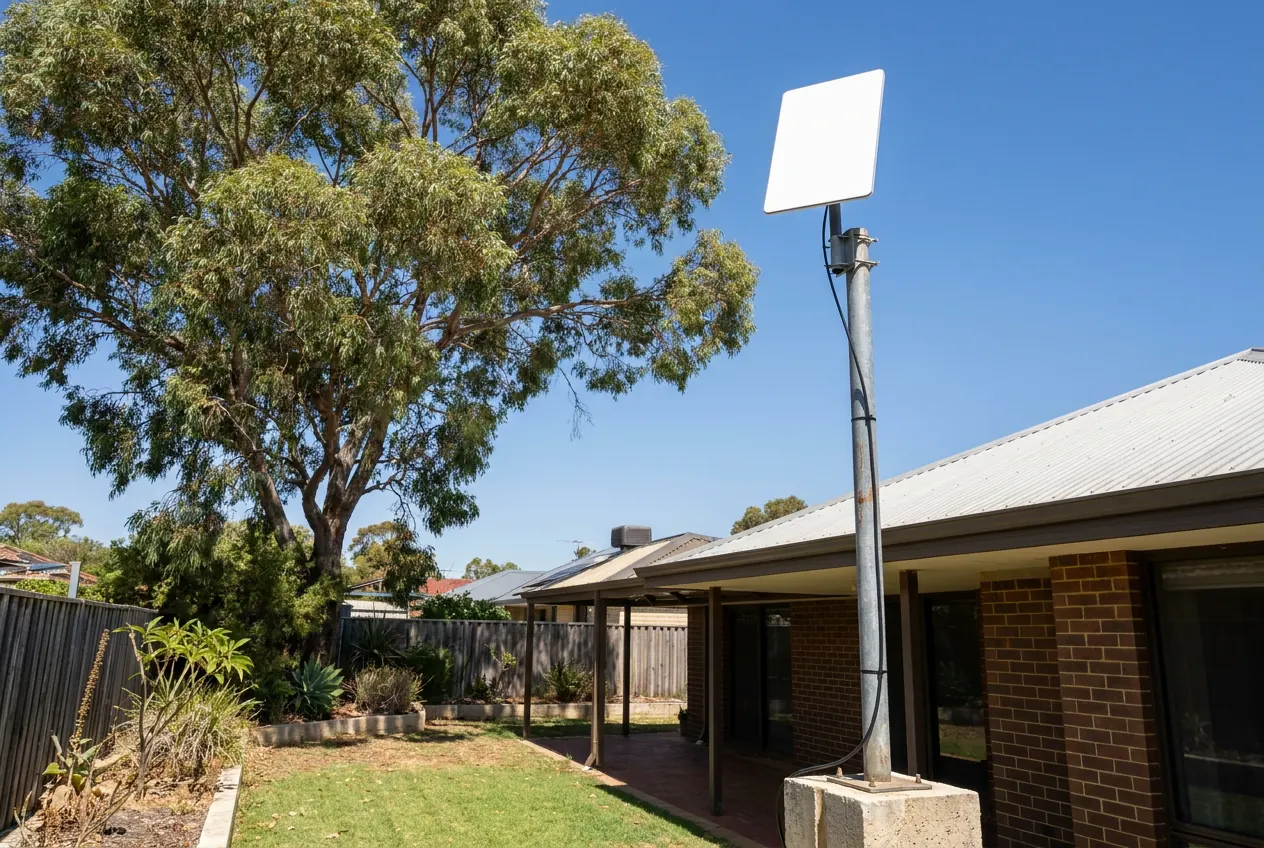
Lifts the dish higher, clear of fences, rooflines and lower trees.
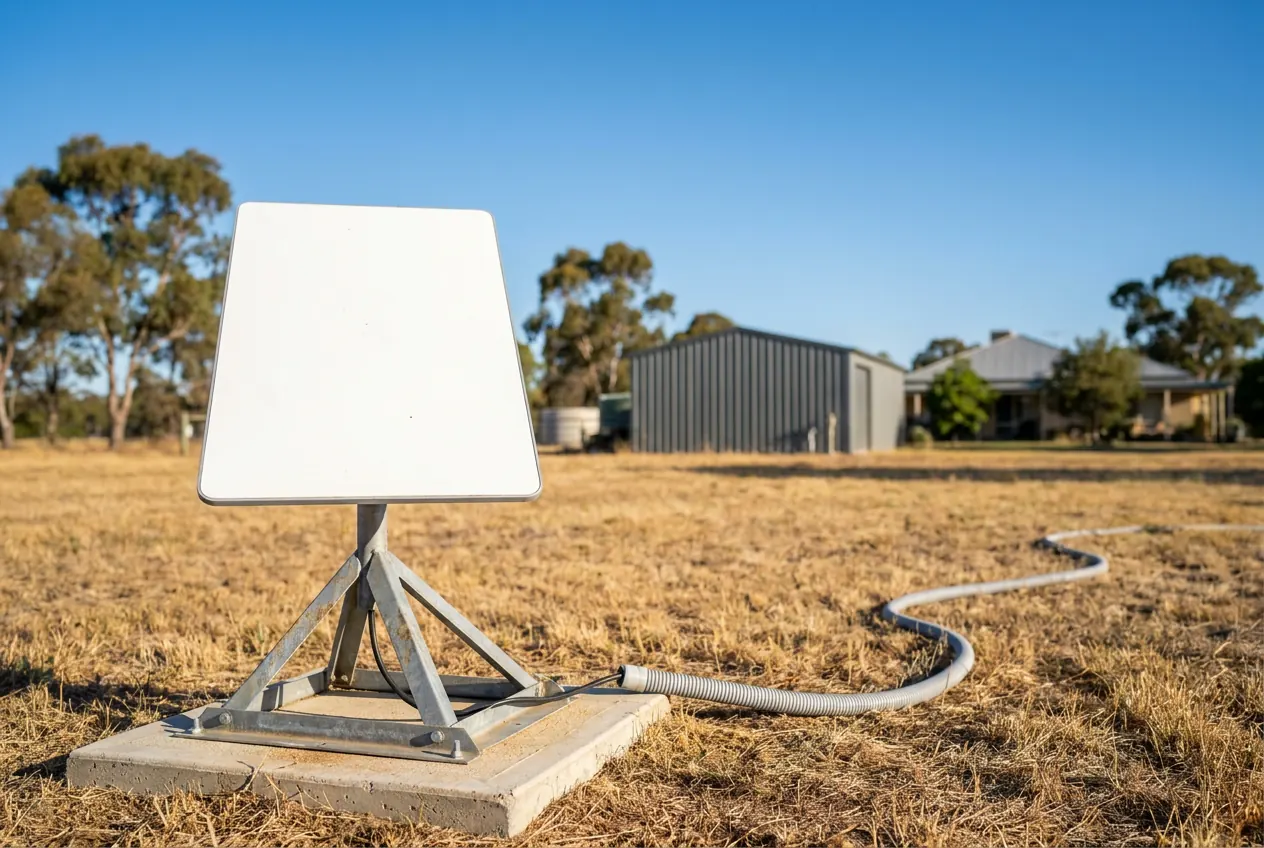
A solid frame on the ground, out where the sky's clear.
One storey or two, the fixings suit the roof they're going on, and every hole that goes through gets sealed.
About the kit
We install 
Independent installer — not affiliated with Starlink or SpaceX.
The bigger dish, usually with a separate router. It's the one most people fix to the house for good.
Good for: a permanent home setup, bigger households, working from home.
A compact dish with the router built into it. Made to be portable, but it can still be fixed in place at home.
Good for: smaller places, a backup connection, or taking it on trips.
Where to buy. Buy it from Harvey Norman (ring your local store to check stock) or order direct from starlink.com. Either way, the kit, the account and the warranty are yours. Kit and plans change, so check what's current on the Starlink website. Not sure which suits? Ask me before you order.
After the install
Something I installed not right? Ring me and we'll work out what's needed. Starlink hardware, account or outage issues go to Starlink support — I'll point you the right way. Your rights under the Australian Consumer Law apply.
Keep my number handy:
0468 090 090Asked a lot
A standard roof install falls within the $400–$500 range. That covers the sky check, the mount and fixings, the cable run with a sealed entry, router set-up, a speed test and the walk-through. Pole or ground mounts, long or in-wall runs, double-storey or steep roofs, extra Wi-Fi gear and travel past the metro edge add to it. Your kit and plan are separate, and you get a firm price before anything's booked. The cost breakdown goes through each one.
Yes. It's built to plug in, and plenty of people start with the dish sitting on the lawn. Get me in when it needs to go up high and clear of trees, onto tin or tile without leaks, with the cable hidden, or with Wi-Fi out to the back rooms or the shed. If the lawn setup works for you, keep it.
A standard single-storey roof job is usually done in one visit. A tall pole, an in-wall run or a long run out to the shed takes longer, and I'll tell you how long yours will take when I quote.
Fair question. When you order, Starlink offers a professional install done by its own installers. Check what it covers and what it costs at checkout. For a simple roof job it might suit you fine. Ring me when you need something more: a pole or ground mount, cable run inside the walls, the Wi-Fi taken out to the shed or granny flat, or one local bloke who quotes the job and answers for it afterwards. I'm independent, not a Starlink installer, and if their option suits you better I'll tell you.
No. I'm an independent Perth installer. I don't work for Starlink or SpaceX and I'm not affiliated with them. You buy the kit and the plan from Starlink, and I install it.
You don't have to. If you're unsure which kit suits or where it would go, ask first. I can quote the job before the kit turns up, then we set the day once it has.
Common on tight lots in the newer estates. The app check shows how much sky you're actually losing. Usually the fix is the other face of the roof, a wall bracket on the clear side, or a pole to get above the problem. If nothing works, a 4G antenna may be the better answer.
Where the house allows it, yes: inside the wall or through the ceiling. Where it doesn't, it's clipped neat along a sensible route. Either way, you see the plan before I drill.
Often, yes. A wall bracket, a pole or a ground mount can leave the roof untouched. Which one works depends on where the clear sky is, and the app check shows that.
Often, yes, but the strata's okay comes first. Anything on a shared roof or common wall needs their sign-off, so ask them before you buy the kit. Once they agree, I'll plan the mount and cable run with them.
For an in-wall run, usually yes, so clearing a path to the manhole helps. Older places with low, cramped ceilings take longer to get through, and if yours looks like one, I'll tell you before I quote.
Yes. If it's sitting too low, tucked behind a chimney or under a tree that's grown since, I can move it higher, onto a pole or onto a clearer face of the roof. If the dish is fine and it's the Wi-Fi that's patchy, I'll move the router, add Wi-Fi points or run cable to where the signal drops off, and leave the dish alone.
Not always. Check the Starlink app for an outage first; if it's their end, there's nothing on your roof to fix. If it isn't, the app's obstruction check shows whether trees or a roof line are cutting into the dish's view. Text me a screenshot of it and a photo of where the dish sits, and I'll tell you whether moving it is worth doing.
I can help you plan it: where a Mini gets the clearest sky at camp, a stand or pole that suits how you travel, and keeping the cable out from underfoot. Ask me before you buy the bits. If the Mini is staying at home, I'll mount it properly, like any other install.
Only if it's giving you grief: dropouts, crawling speeds, or still no connection in your estate. Compare the current plans on the Starlink website and decide what suits you.
Answer a few quick questions and you'll have a firm price from me.